Obzidian is an AI app-building interface with project dashboards, editor routes, code preview surfaces and ideation paths.
Project 09 / Obzidian
An AI app-building workspace with code, preview and deployment paths.
The project
An AI application builder with project dashboards, file trees, editors, preview services, chat-driven generation and deployment integrations.
The product context
A workspace for generating and shaping apps.
The boundary
Generated code stays inspectable.
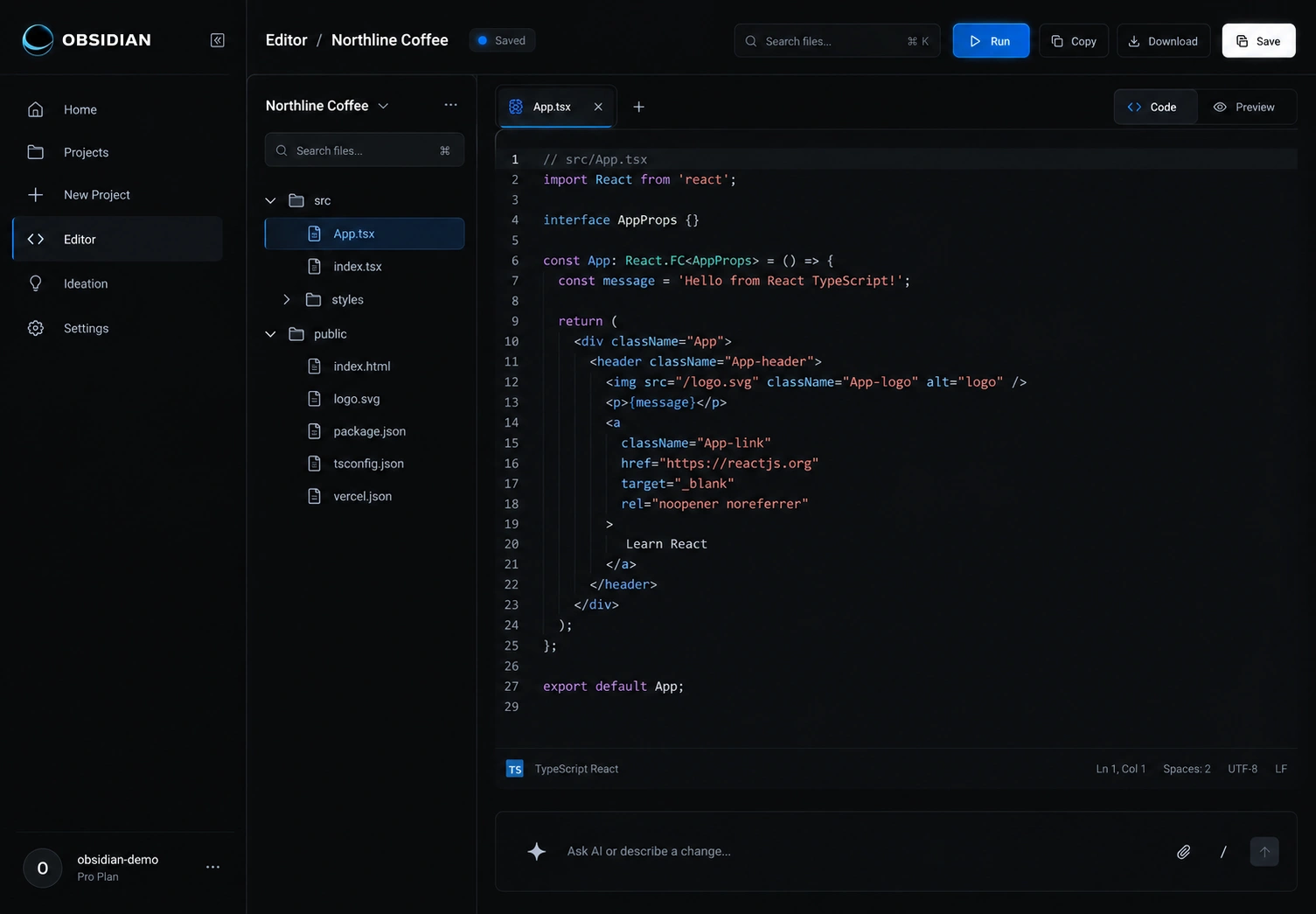
Generated files stay visible and editable next to the preview, so a person can review what the AI produced before it is deployed.
Builder surface
Generation, files and preview meet inside one workspace.
The product connects Clerk authentication, Supabase services, Sandpack and E2B preview paths, GitHub, Netlify and Stripe integrations, plus file, socket and SSE service modules.
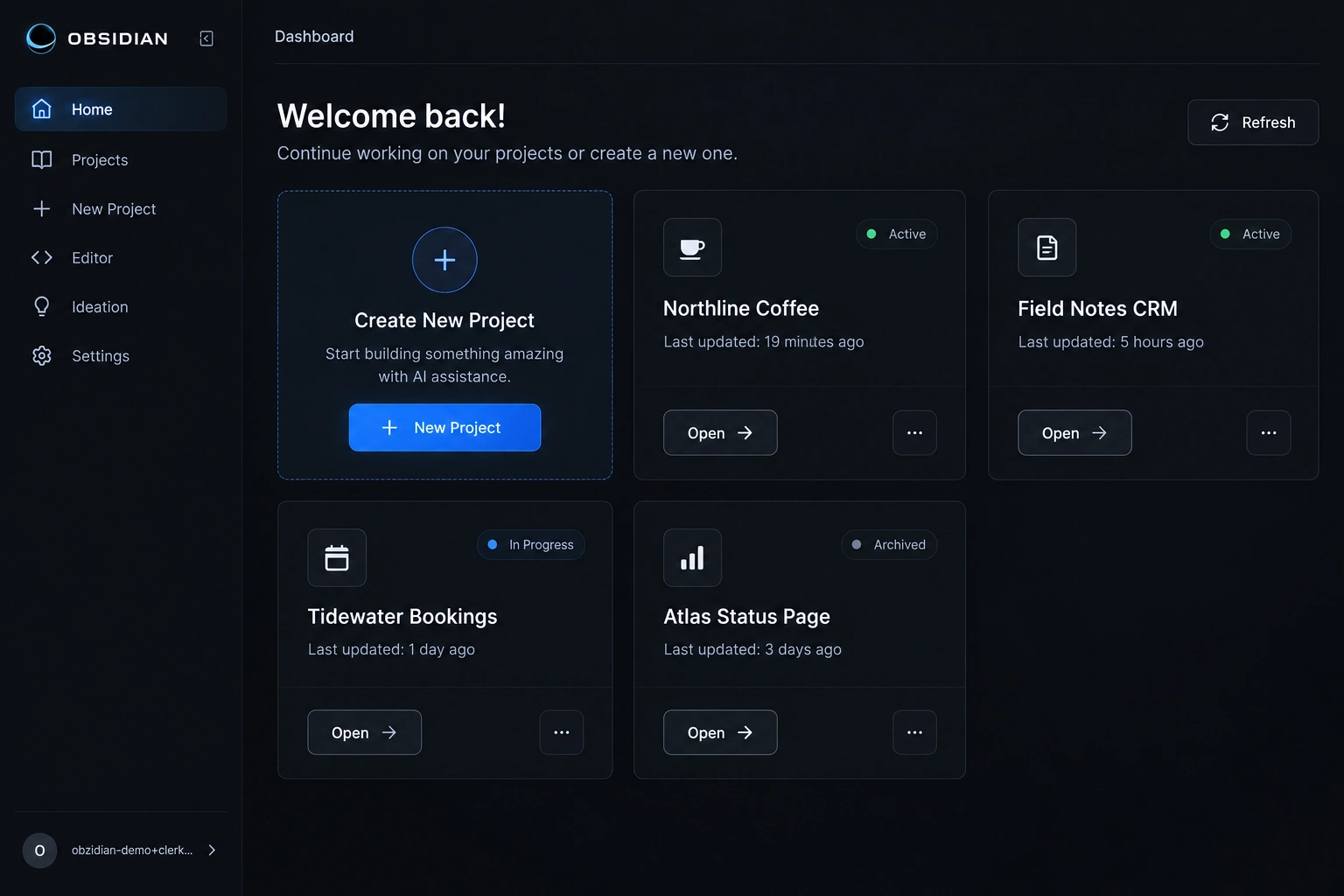
- 01Project dashboard
- 02Chat and ideation input
- 03File tree and editor
- 04Code preview services
- 05GitHub and deploy modules
- 06Billing and account routes
The entry point
One prompt starts the project.
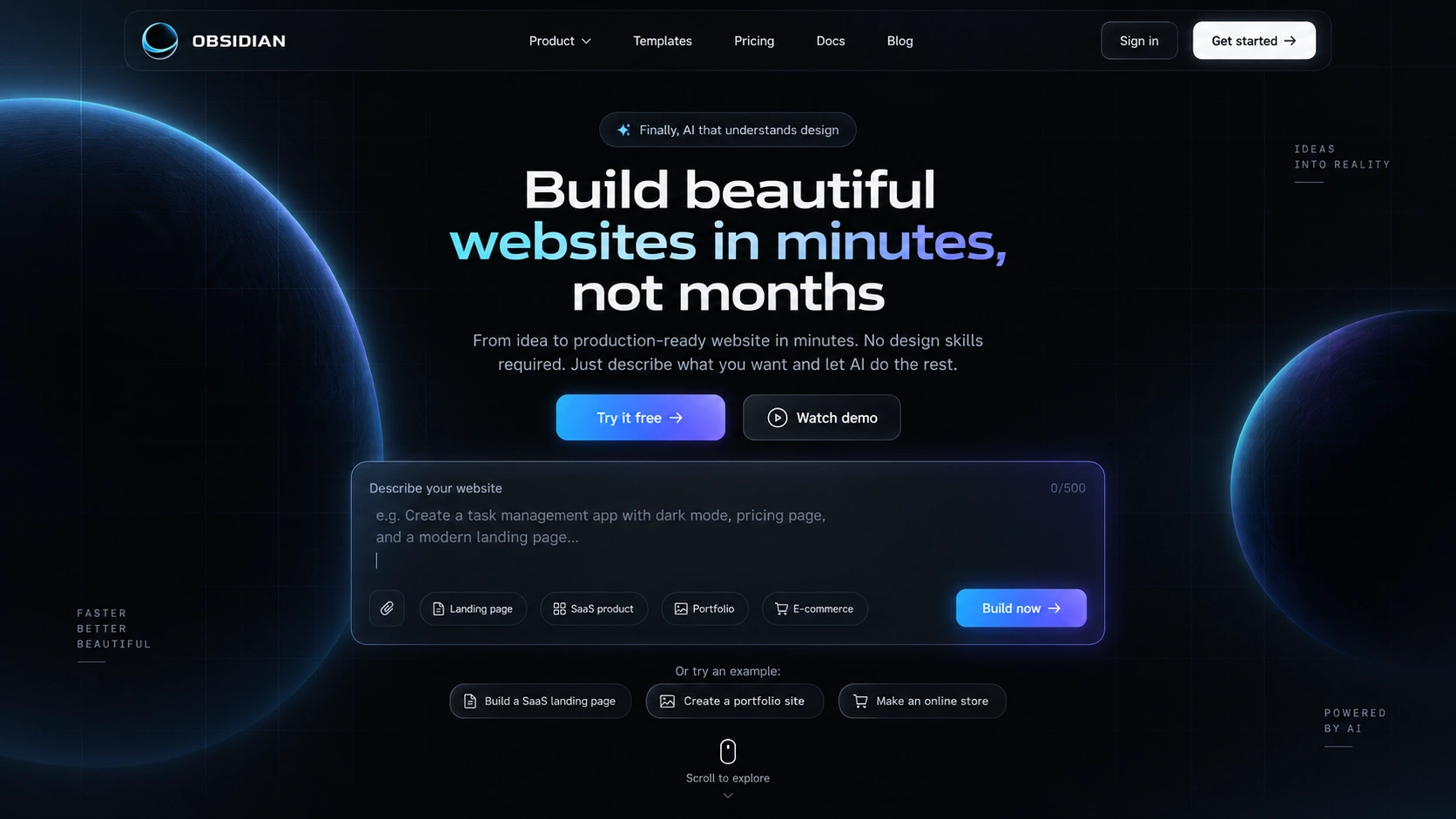
The landing page leads with the prompt: describe the app, then continue into the workspace to shape it.
What changed
AI-assisted software creation in a controlled workspace.
Obzidian brings together developer-facing UX, generated code preview, service integrations and the operational concerns around letting AI create software in a controlled workspace.
What shipped
- Prompt-based project creation
- Project dashboard
- File tree and code editor
- Live code preview
- GitHub and Netlify deployment
- Stripe billing
Evidence
- Dashboard, editor and landing screens from a local run with a demo workspace
- AI generation, preview and deployment in one workspace
What changed
A user can describe an app, inspect and edit the generated files, preview them and push to deployment without leaving the workspace.
Next project
Maison Kayser Nigeria